


ZenoWell Luna – Advanced Vagus Nerve Regulation to Light Up Natural Healing
From €363,95


 0
0 items
0
0 items


Discover deep brain relaxation with the ZenoWell vagus nerve stimulator.
Limited Pride Edition — only 50 pieces available
Compatible with ZenoWell Luna and Vita devices
Designed for gentle daily taVNS routines
Earpiece only. ZenoWell device not included. Compatible with ZenoWell Luna and Vita.
Couldn't load pickup availability

Your ZenoWell routine is personal. The way you rest, recover, focus, and return to balance is your own.This Pride Month, we’re introducing a limited-edition rainbow earpiece as a small celebration of individuality, care, and everyday self-connection.
Made in a limited run of 50 pieces, it’s designed to pair with your ZenoWell Luna or Vita and bring a meaningful detail to your daily reset.


Celebrate Pride with ZenoWell’s limited Rainbow Earpiece
During normal use, you may feel slight tingling or vibration without stinging
If stinging occurs, adjust the earpiece for a closer fit, re-moisten the ear, or re-spray the earpiece.
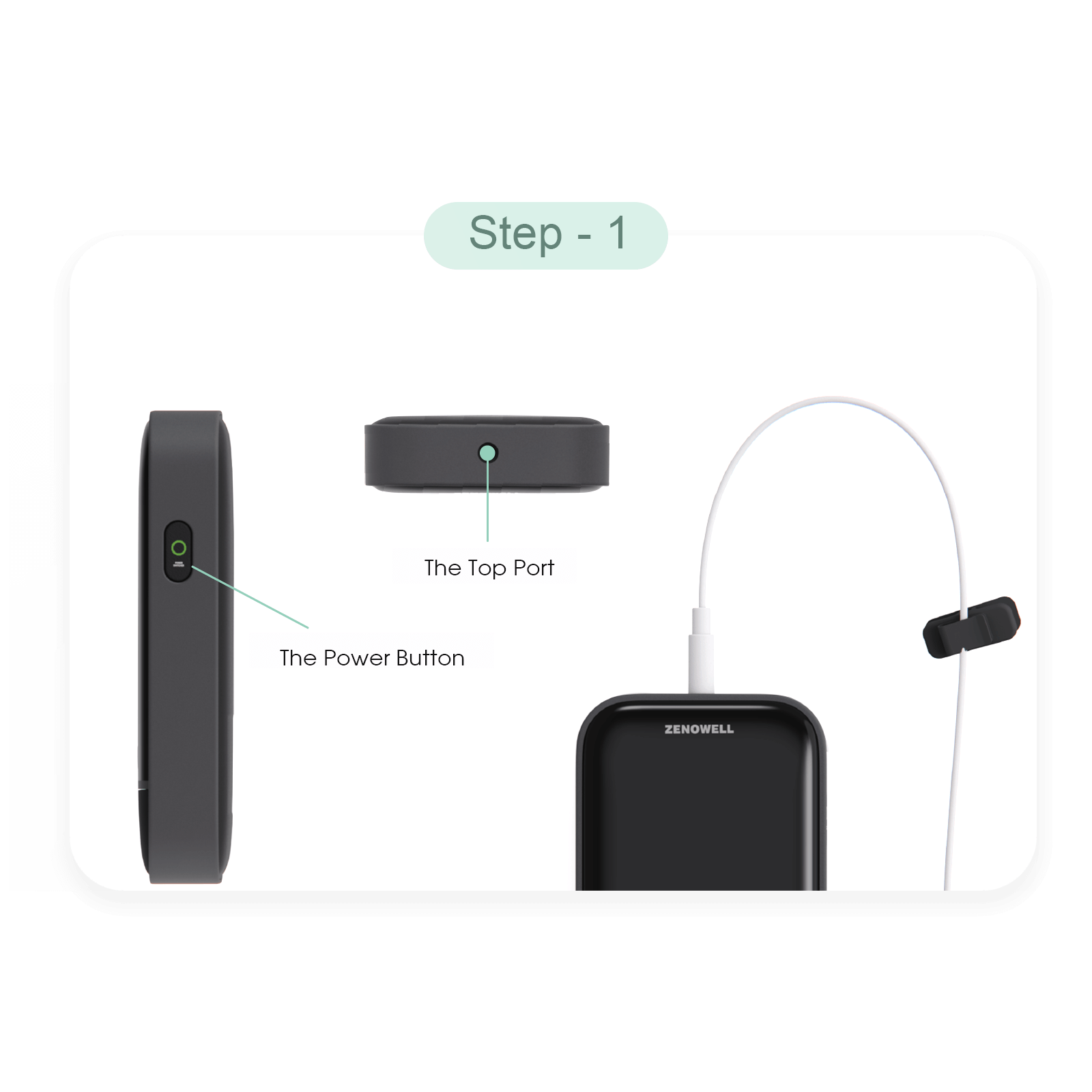
Plug the earpiece cable into the top port, then hold the powerbutton for 3 seconds to start.
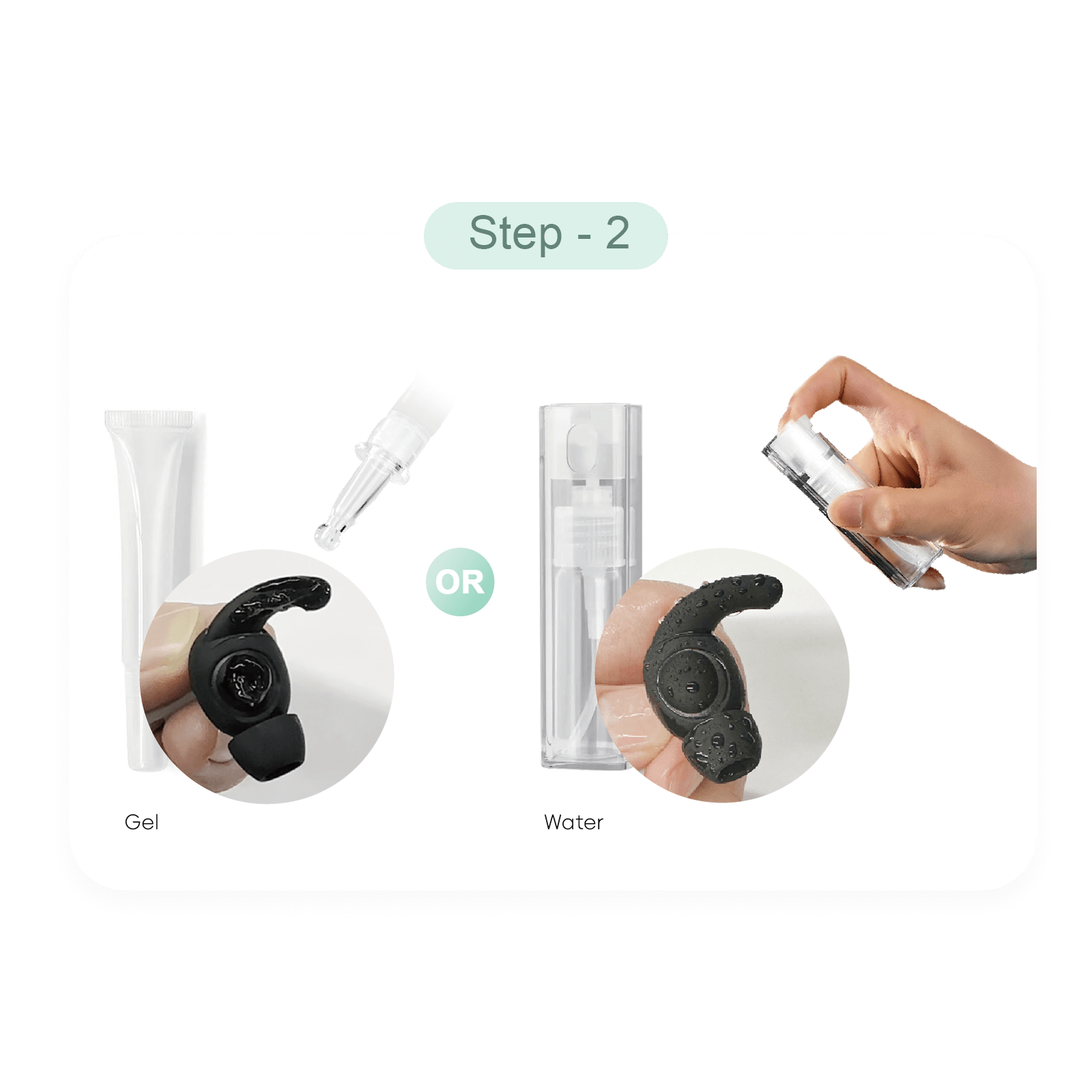
Moisten the earpiece with either gel or clean water, depending on your experience with the stimulation or convenience.
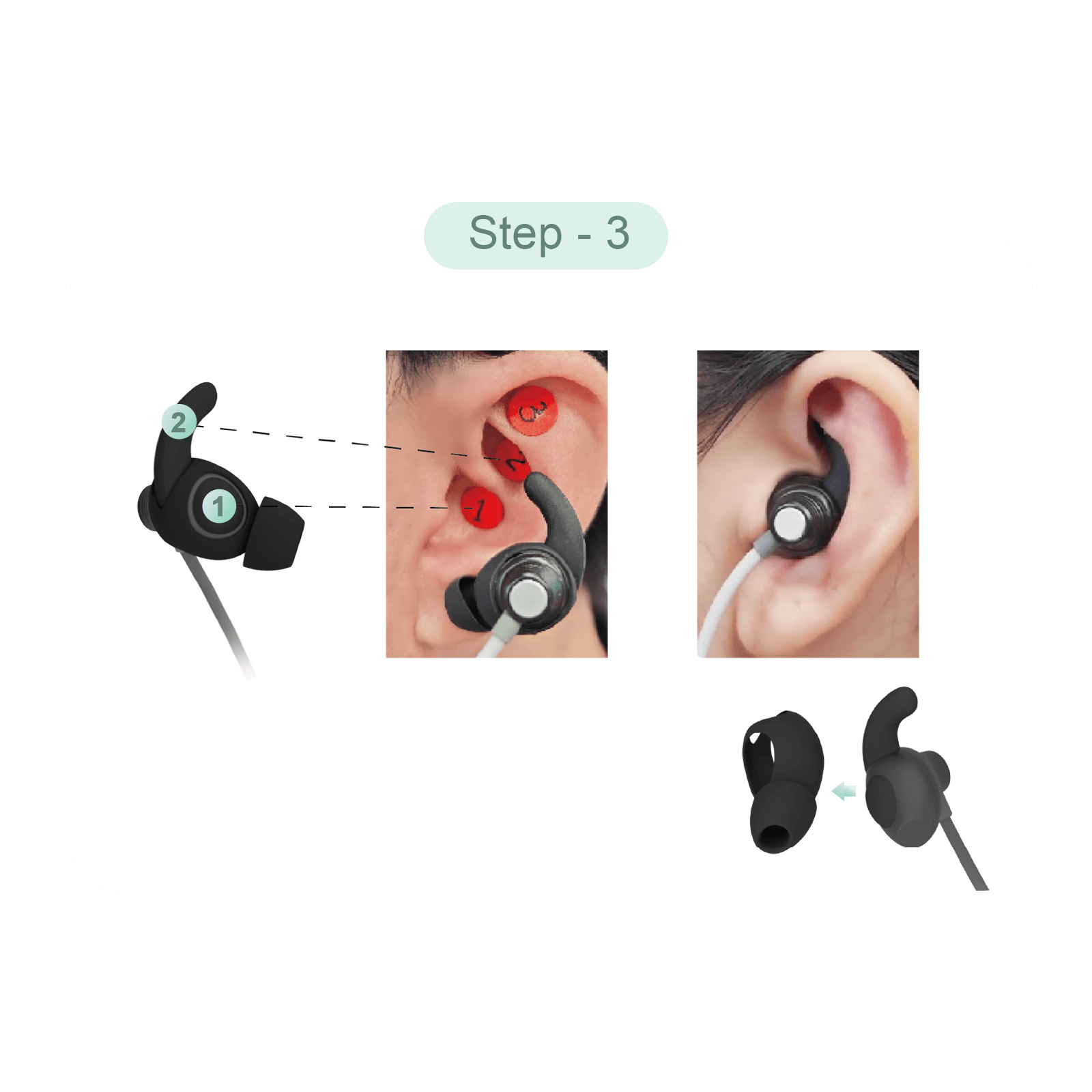
Locate the stimulation areas (area 1&2) in your LEFT earand put on the earpiece.
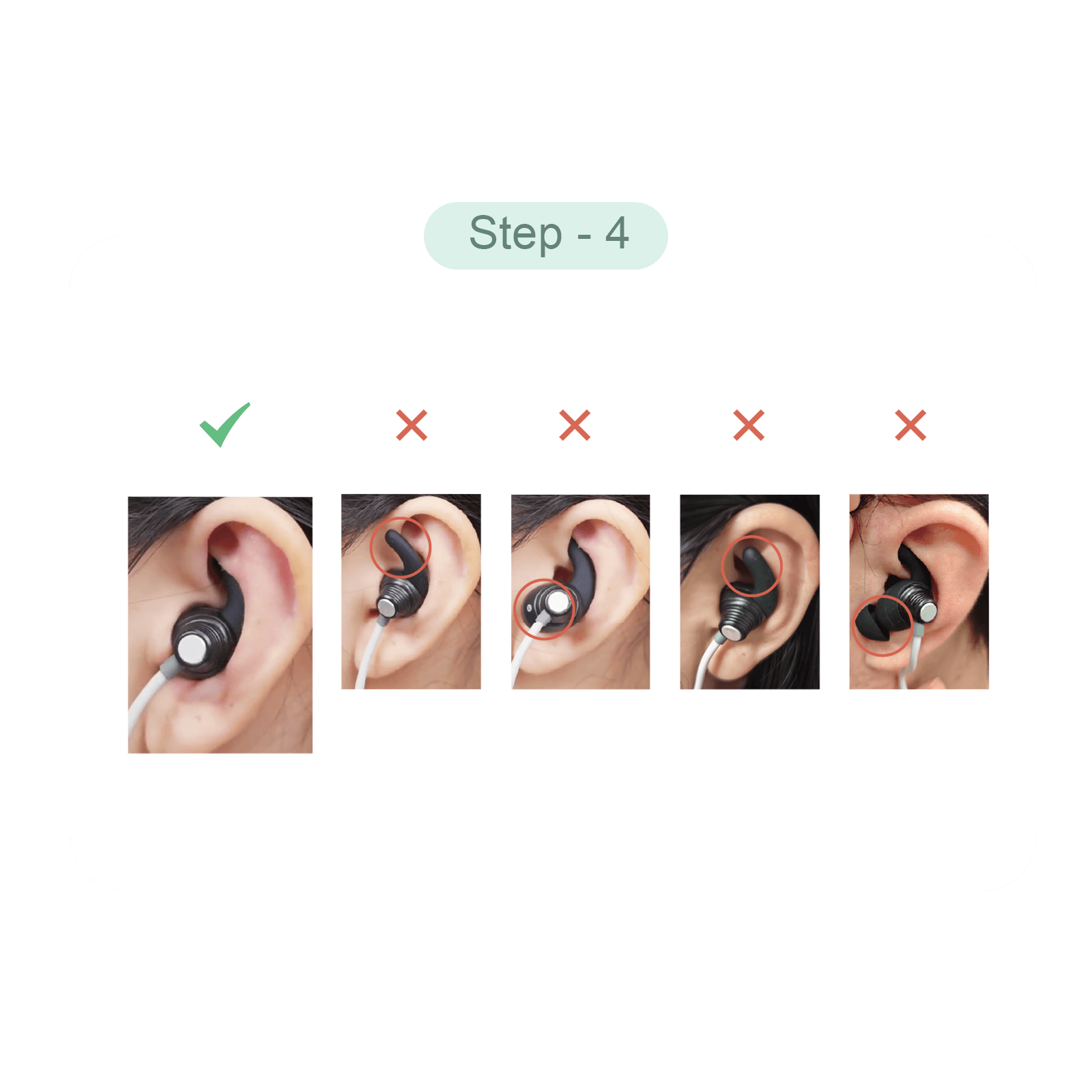
Select a mode and adjust to a comfortable intersity.
WRONG positioning may bring in uncomfortable feelings or pain!

Have a question?
If you have an issue or question that requires immediate assistance, you can click the button below to chat live with a Customer Service representative.
Customer support team from: 9am to 6pm daily. Average answer time: 5h.
No. However, we recommend that you consult with your doctor if you’re unsure whether ZenoWell is right for you.


We care about protecting your data. Read more in our Privacy Policy.
©2026 ZENOWELL store. All rights reserved. ZENOWELL is trademark of ZENOWELL LIMITED and may not be used without permission.
(Auricular Vagus Nerve Stimulator, vagus nerve stimulation device)
(This not our return address)


